01
A second look by AI
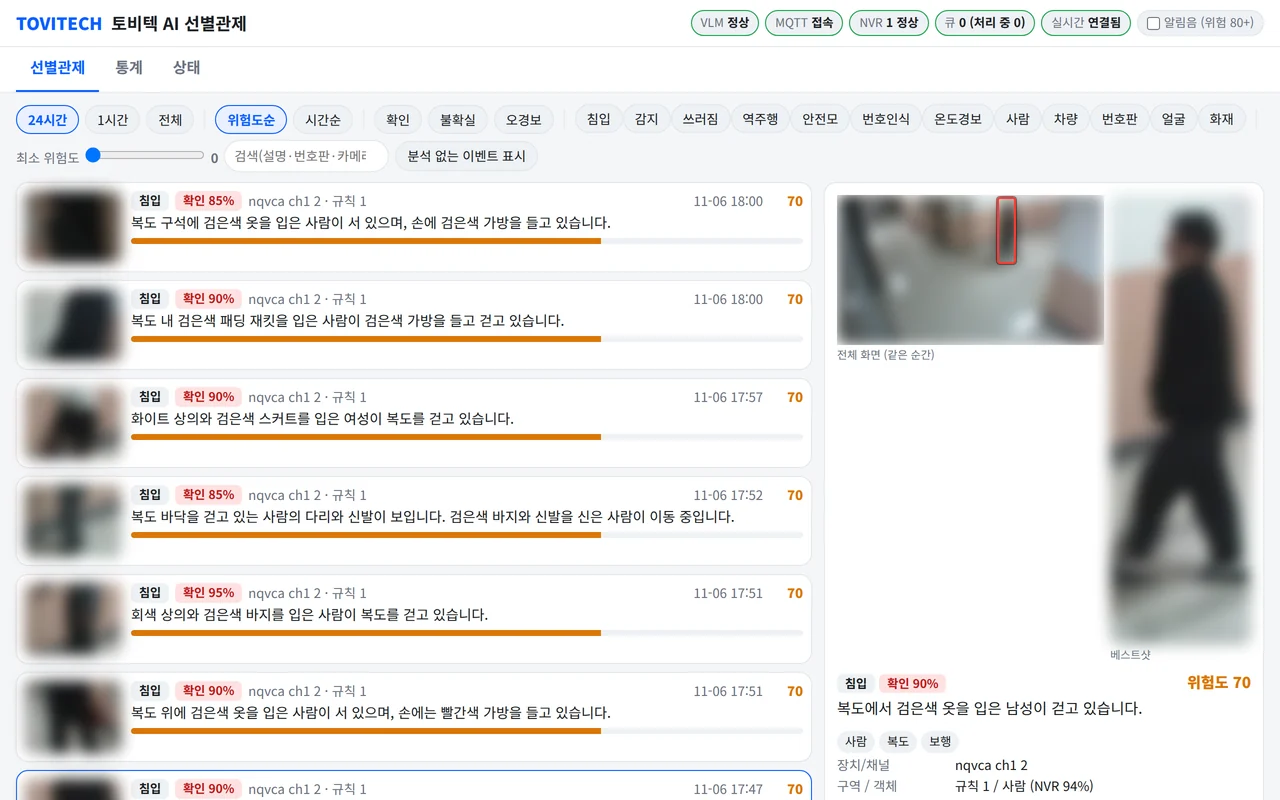
Each NVR event is re-examined from the best shot and the full frame of the same moment, then judged confirmed, false alarm or uncertain. Clothing, belongings and behaviour are described in a sentence, with tags.
NQVLM
NQVLM
AI event screening
A vision-language AI takes a second look at every NVR AI event, separates real incidents from false alarms and suggests a description, risk score and response.
Highlights
Each NVR event is re-examined from the best shot and the full frame of the same moment, then judged confirmed, false alarm or uncertain. Clothing, belongings and behaviour are described in a sentence, with tags.
Scenes that trip an intrusion rule but pose no threat, such as a worker carrying cleaning tools, are marked uncertain with a lower risk. In the pilot a rule risk of 70 came down to 46.
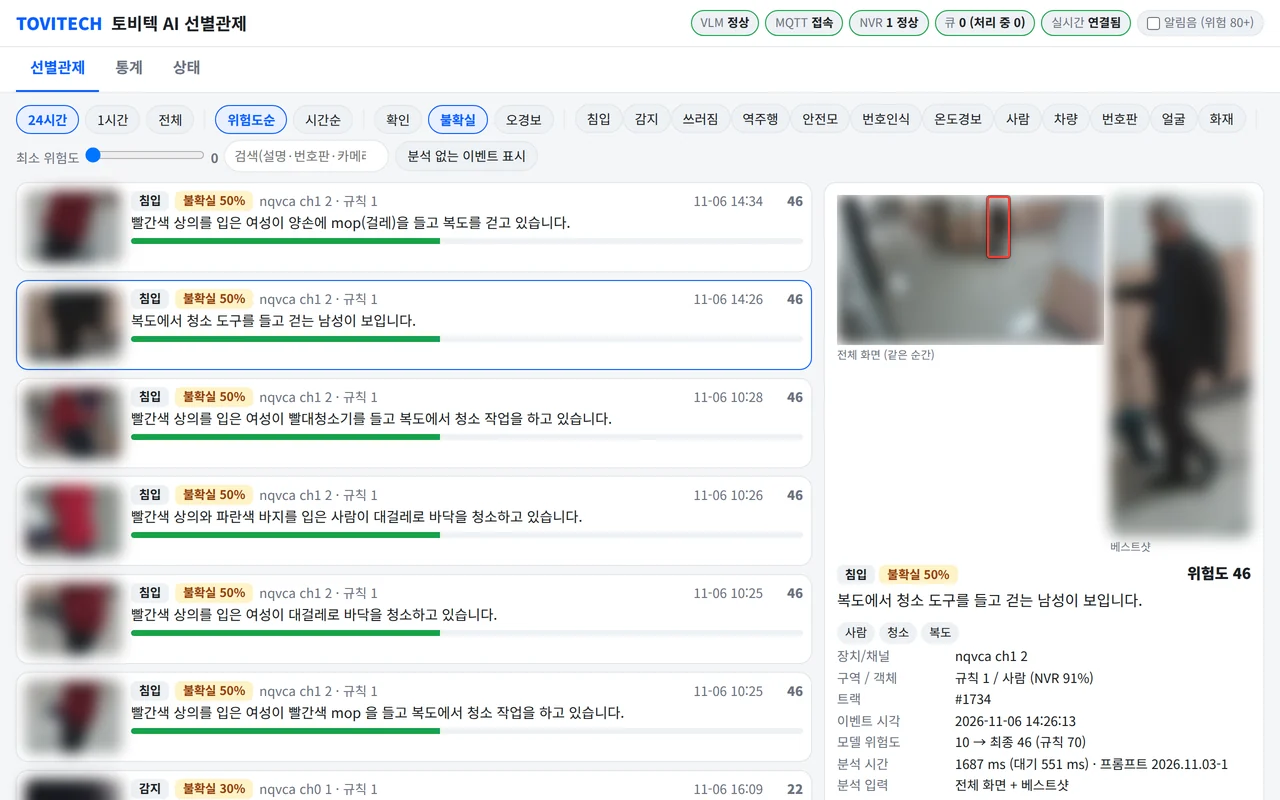
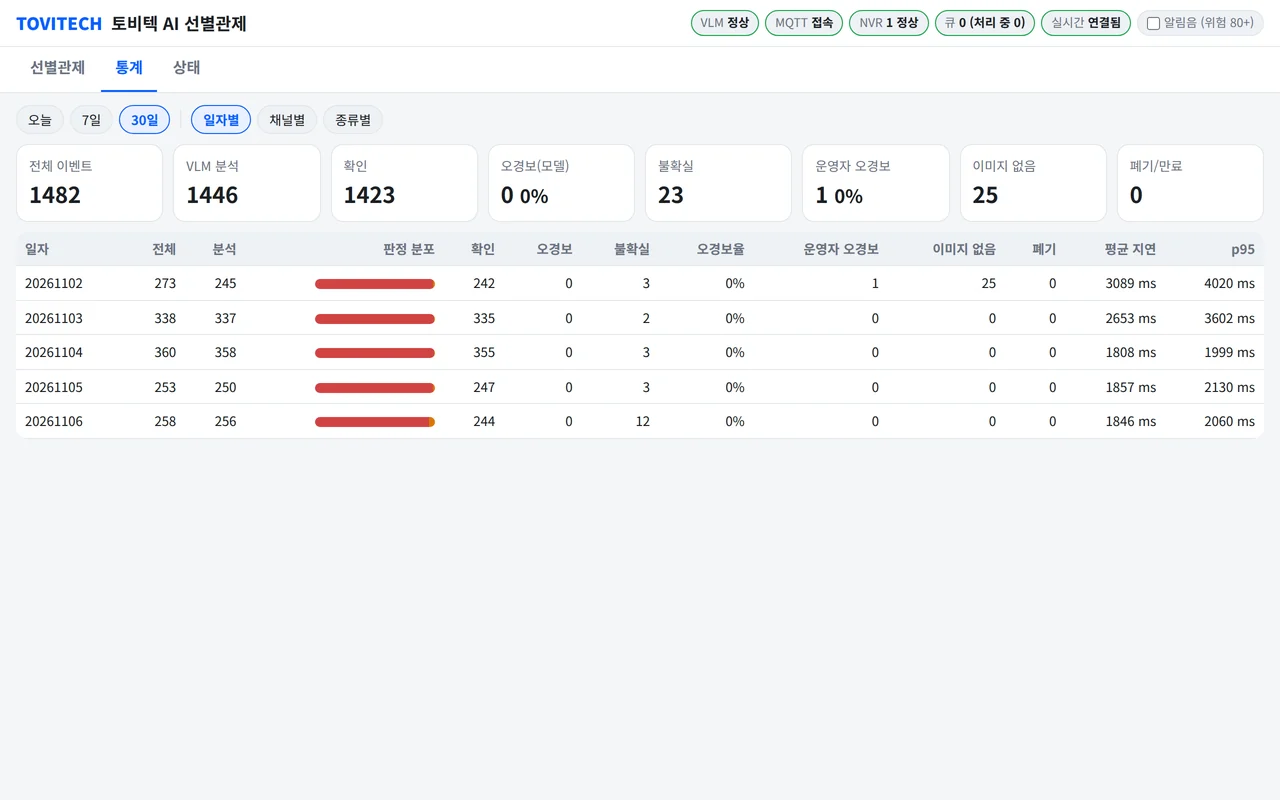
Review events by risk, mark them confirmed or false with notes, and track verdict mix, false-alarm rate and analysis time by day, channel and type.
Features
NQVLM runs on an on-premises GPU server. For each NQNVR AI event it looks at the best shot together with the full frame from the same moment and returns a verdict of confirmed, false alarm or uncertain. Each verdict carries a sentence or two on clothing, belongings and behaviour, a 0-100 risk score and suggested responses, shown live on the screening dashboard. Scenes that trip a rule but pose no threat, such as cleaning staff, get a lower risk so operators reach real incidents first. Every event is stored before analysis, so nothing is lost during outages.
Analysis time is from a pilot with one GPU server and one NVR; it varies with server hardware and event volume.
Camera images in the screenshots are blurred for privacy.
| General | |
|---|---|
| Form | On-premises GPU server (Ubuntu) |
| Input | NQNVR AI events · best shot + full frame of the same moment |
| NVR integration | Connects to NQNVR AI events (full-frame review needs a recent NVR release; older releases use the best shot only) |
| Interface | Web dashboard (screening · statistics · status), live updates, account sign-in |
| Output | Verdict events over MQTT (photo optional) |
| Screening | |
|---|---|
| Verdicts | Confirmed · false alarm · uncertain |
| Output | Description · tags · risk score (0-100) · suggested responses |
| Event types | Intrusion · detection · fall · helmet · wrong-way · thermal · plate |
| Processing order | Highest risk first · repeats merged · low-risk events shed under overload |
| Analysis time | About 2 s per event (pilot average) |
| Reliability | Store-first analysis · automatic retry on outages |
| Retention | Events 30 days · images 14 days (configurable) |
Documents
User manuals and integration documents are sent on request.
support@tovitech.com