01
Your room, rebuilt in 3D
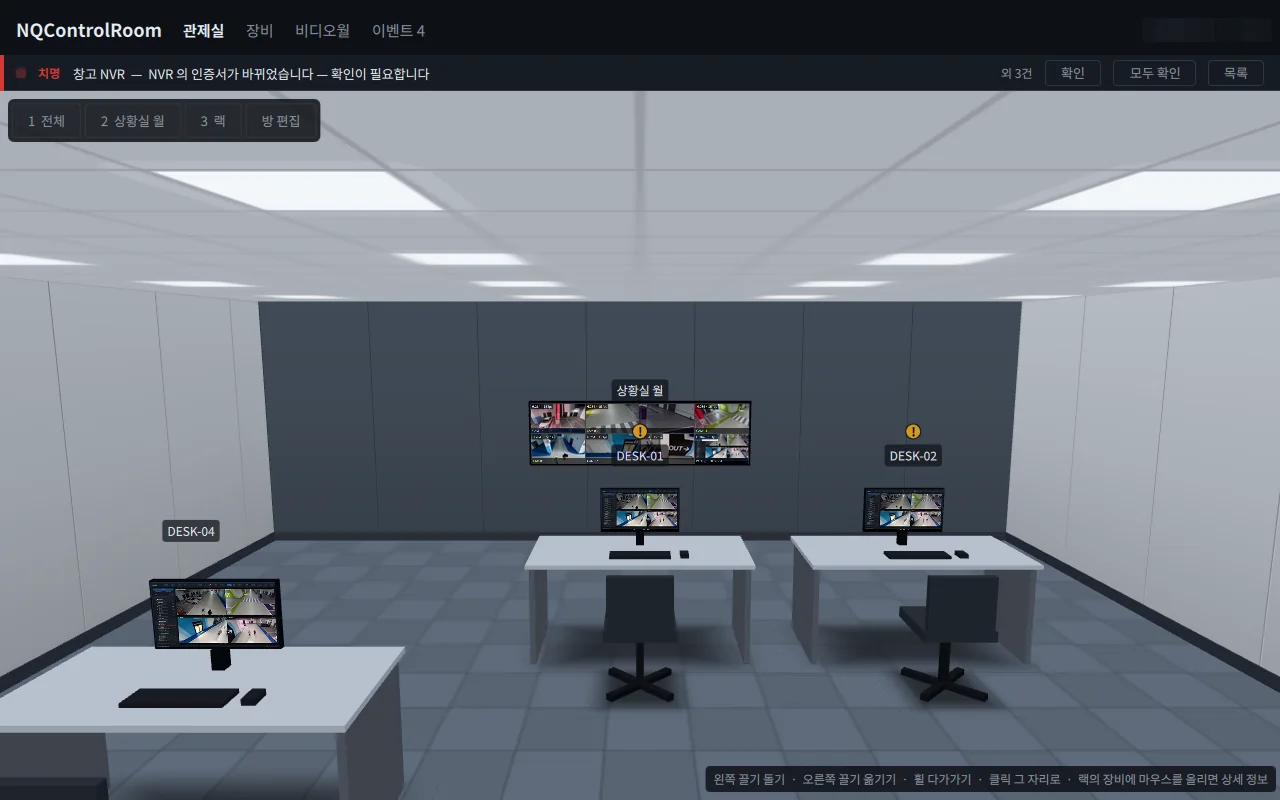
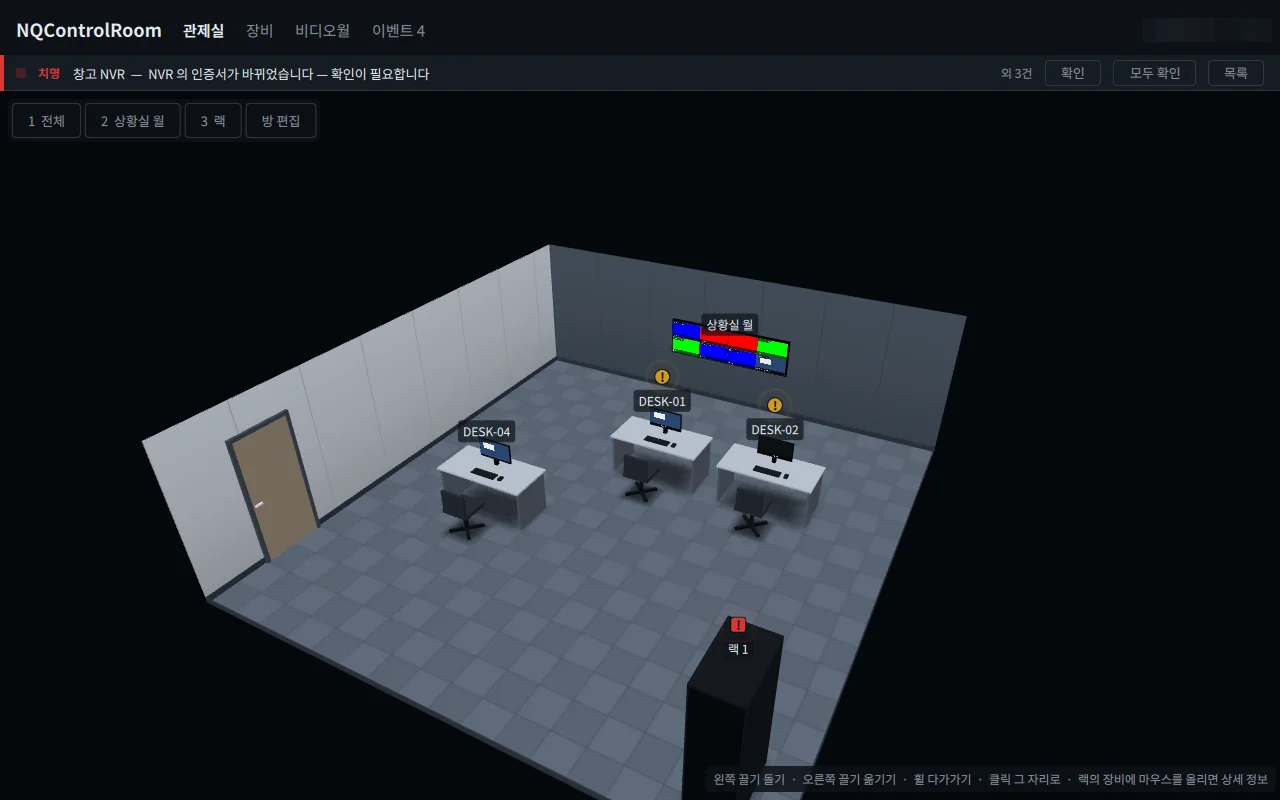
Register your devices and the room appears with video walls, operator desks and racks. Look around, then click any object to operate it.
NQControlRoom
NQControlRoom
3D control-room console
A control console that recreates your real control room in 3D, so you operate video walls, operator PCs and rack equipment right where they are.
Highlights
Register your devices and the room appears with video walls, operator desks and racks. Look around, then click any object to operate it.
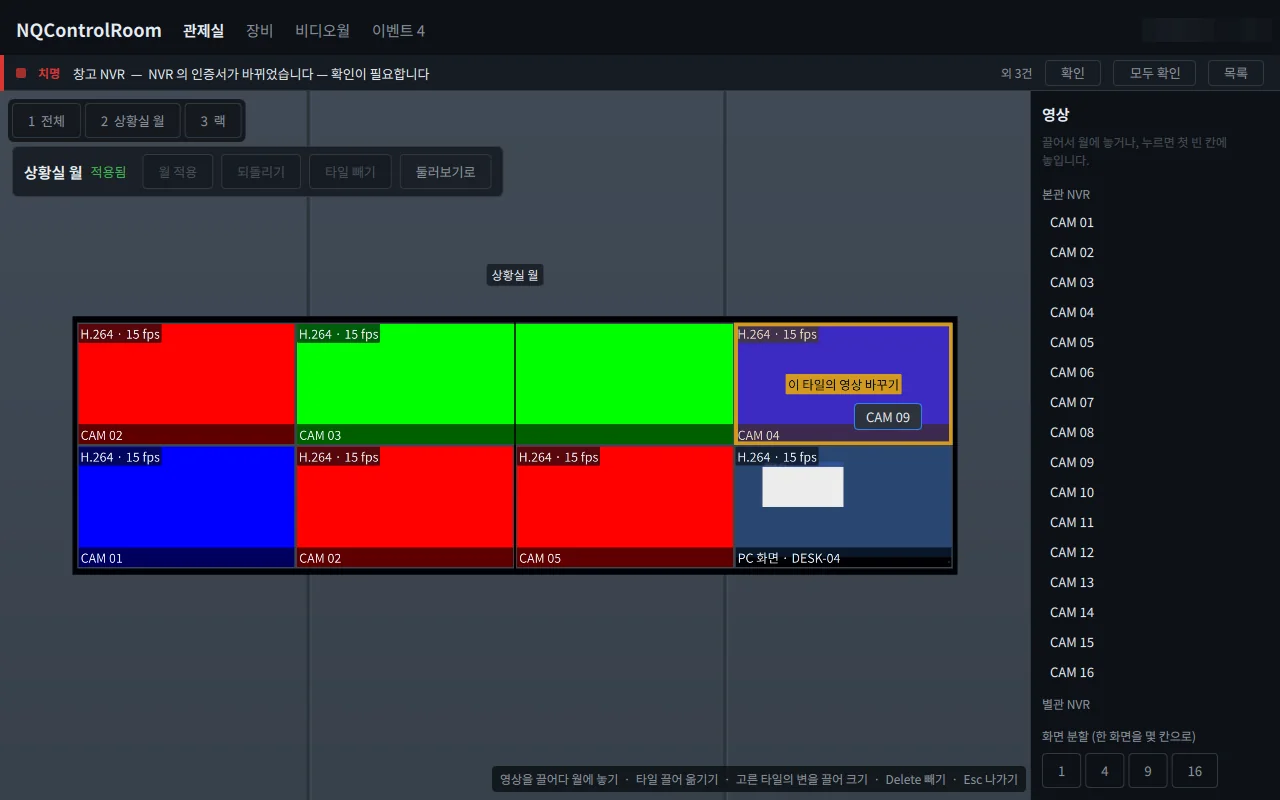
Drop camera feeds and PC screens onto the wall, review the changes, and put them on the real wall with a single Apply.
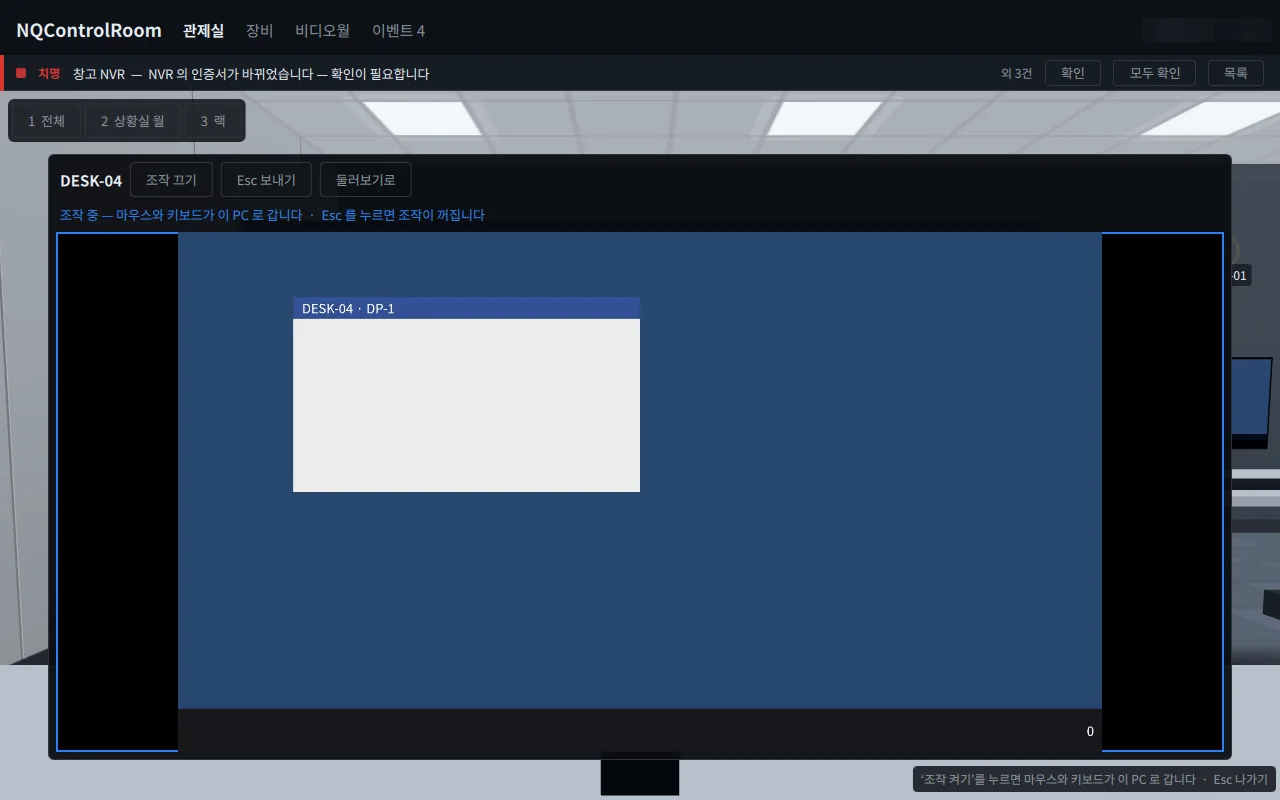
Click a desk monitor to open that PC's live screen; turn on control and your mouse and keyboard go straight to it.
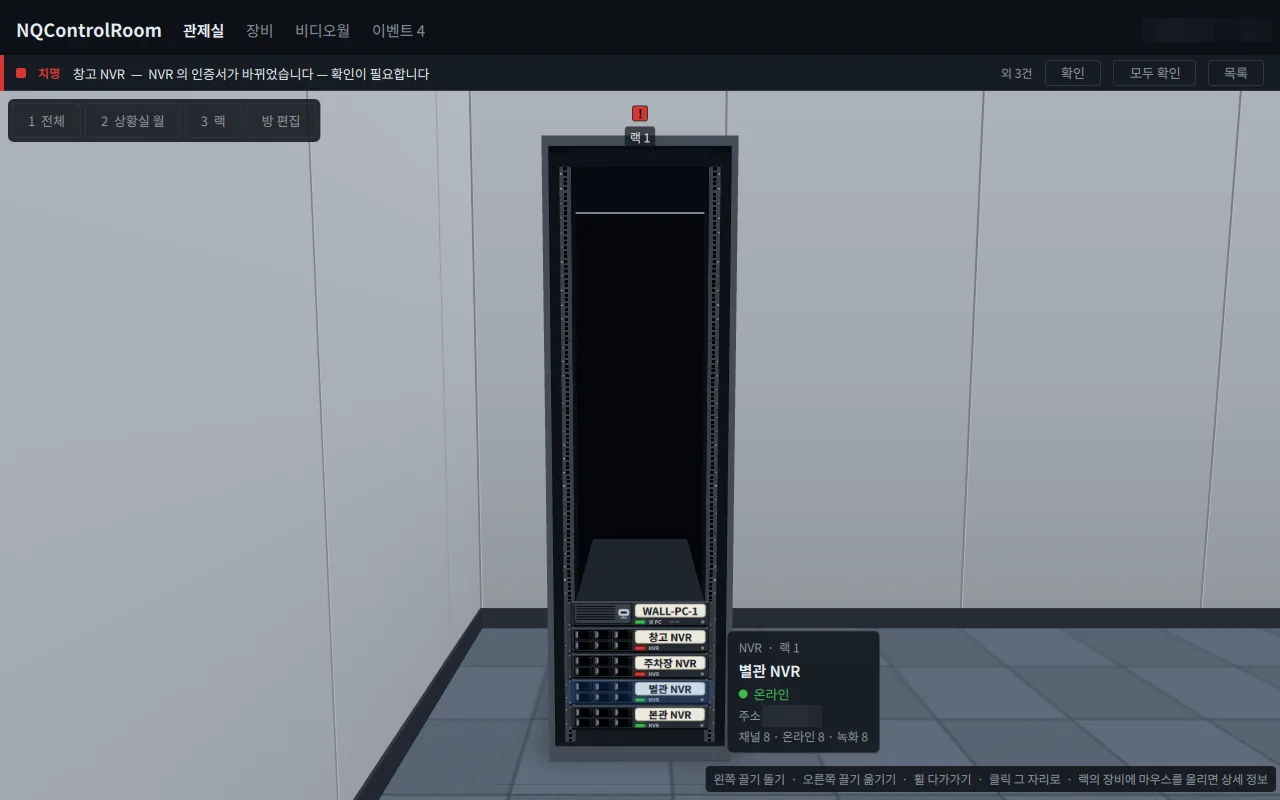
Hover over rack equipment for a status card; when something fails, a beacon lights up above that device.
Features
Screens
NQControlRoom builds the control room automatically from the NQNVRs and NQAgent PCs you register, complete with video walls, operator desks and racks. Drag video onto a wall, click a desk monitor to operate that PC remotely, and see device faults as beacons inside the room. It runs on a single Windows or Ubuntu PC with no separate server and installs alongside NQVMS.
| General | |
|---|---|
| OS | Windows 10 / 11 · Ubuntu 24.04 (64-bit) |
| Graphics | PC with a graphics card (GPU) recommended |
| Server | None — settings are stored on the PC |
| Division of roles | Playback and PTZ in NQVMS |
| Integration | |
|---|---|
| NVR | NQNVR — status, channels, preview video |
| PCs | PCs with NQAgent — wall PCs and operator PCs |
| Wall sources | NVR camera feeds · PC screens |
| AI events | NQNVR AI analytics events (optional) |
| Coexistence | Can be installed on the same PC as NQVMS |
Documents
User manuals and integration documents are sent on request.
support@tovitech.com